
IP cameras · NVR · Bangalore
NVR Installation in Bangalore
An NVR system is more than IP cameras plugged into a recorder. Cameras, network cabling, PoE, storage, recording settings and remote access need to work together. Planning those pieces around the property makes the system easier to use and check.
For homes, apartments, offices, shops and commercial properties.
Plan the complete connection
Buying IP cameras separately does not settle how they will connect, receive power, record or reach a phone. An NVR installation involves camera selection and positions, Ethernet cabling, PoE or another suitable power arrangement, network capacity, recorder compatibility, storage and configuration.
Smartronic plans the system around the property and the owner’s requirements. This page focuses on NVRs, IP cameras, PoE, CAT6 and network setup. For the broader service—including DVR options and overall coverage—see complete CCTV installation in Bangalore.
See how the system connects
From IP camera to monitor and mobile viewing
Video travels from a compatible IP camera over the network to the NVR, where it can be recorded to an HDD. The viewing path can lead to a connected monitor and, when configured and supported, a mobile device.
*Mobile viewing needs a compatible system and configured network access. PoE may come from the NVR or a separate switch; not every system uses the same layout.
Digital cameras on a network
What is an IP camera?
An IP camera is a camera with a network connection. It sends a digital video stream over an IP network, typically through an Ethernet connection in a wired CCTV installation. The camera needs suitable network settings and must be compatible with the NVR’s supported resolutions, protocols and stream limits.
IP cameras are commonly paired with NVRs because both are designed around network video. Resolution is only one part of the result: lens and view, lighting, bitrate, frame rate, codec, network bandwidth and recording configuration also affect the footage. A high-resolution camera does not guarantee that every part of the system will record at its maximum setting.
For a broader look at security-camera uses for different properties, see security camera installation in Bangalore.
Cable is part of the system design
Why CAT6 is commonly used for IP CCTV
Ethernet cable carries network data between compatible IP cameras and network equipment. Where PoE is supported, the same cable can also carry camera power. CAT6 is commonly used for structured network cabling, but it is not automatically required for every camera or layout. Select cable based on the device specifications, distance, environment, route and installation conditions.
Pay attention to cable quality, connector type, termination and testing. Poorly terminated pairs or damaged cable can cause link problems or intermittent video. Keep cable within the relevant equipment and Ethernet limits, plan suitable routes, label both ends and use appropriate protection for exposed or vulnerable sections. Avoid assuming that an old cable is suitable just because its plug fits.
Route first, mount second
Planning CAT6 cable routes for NVR CCTV
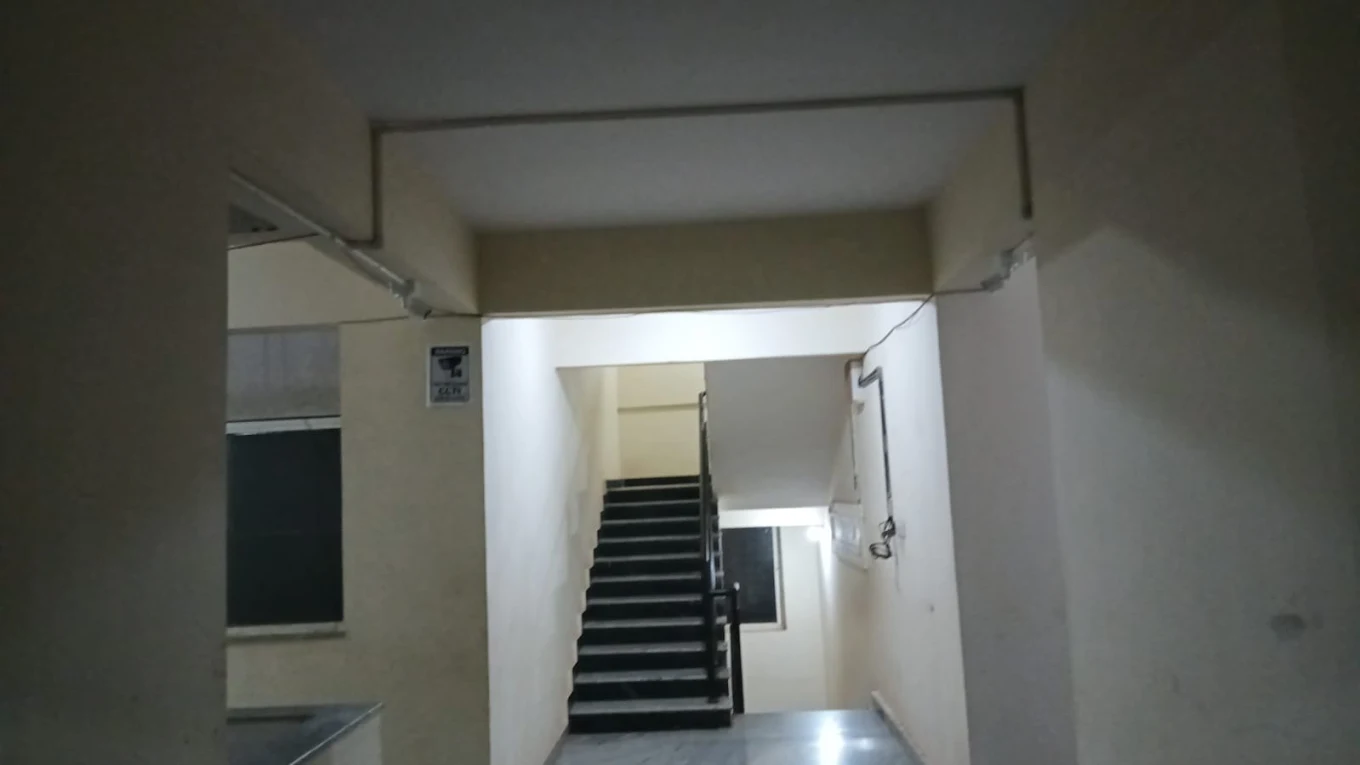
Mark proposed camera points and the likely recorder location before installation. Estimate route lengths rather than measuring only straight-line distance: cables may travel around beams, through a ceiling space, down a wall or through an existing conduit. Check access to false ceilings, wall construction, external sections, junction points and any building restrictions.
Decide how exposed cable will be protected and where connections can remain accessible for service. Label camera runs at both ends so a future technician can identify which cable serves which view. Keep a simple route or port record. Avoid unnecessary cable exposure and do not conceal joints where they cannot be inspected or maintained.
A planned route also helps choose the network layout. Long or distributed runs, multiple floors and camera groups may affect where a switch belongs, how it connects back to the NVR, and whether bandwidth or distance needs additional design consideration. Resolve that before drilling and finishing work.
One cable can carry data and power
What is PoE in CCTV?
PoE, or Power over Ethernet, lets compatible network equipment send electrical power and data over the same Ethernet cable to a compatible camera. That can avoid a separate power run at each camera, but the camera and the PoE source must support a matching standard and the network plan must account for the connected load.
PoE might come from ports built into an NVR or from a separate PoE switch. Not every NVR has PoE ports, and not every IP camera uses PoE. Other power arrangements are possible depending on the devices. Check the manuals and installation conditions before selecting equipment.
Two common network arrangements
NVR with built-in PoE vs a separate PoE switch
| Consideration | NVR with built-in PoE | Separate PoE switch |
|---|---|---|
| Connection | Compatible cameras may connect directly to recorder PoE ports. | Cameras connect to a switch, which links to the network and recorder as designed. |
| Planning | Can make a straightforward layout easier when the number and location of cameras suit the available ports. | Allows a network layout to be planned around switch locations, cable routes and other network needs. |
| Expansion | Limited by recorder ports and other recorder/network specifications. | May offer flexibility when designed with suitable switch capacity, bandwidth and uplinks. |
| Checks | Verify PoE support, port limits, power budget, bandwidth and camera compatibility. | Verify switch PoE capacity, uplink bandwidth, camera addressing and NVR compatibility. |
Neither arrangement is universally better. A smaller property may suit direct camera connections; a larger or more distributed layout may need a separately planned network. Select based on the actual cameras, routes and recorder.
The recorder in an IP camera system
What is an NVR?
NVR means Network Video Recorder. It is a recording and management device used with compatible IP cameras. The cameras produce digital video streams; the network carries those streams to the recorder, which manages them and stores footage on a supported hard drive when configured to record.
A common arrangement is IP camera → Ethernet network, sometimes with PoE → NVR → HDD → monitor or supported mobile viewing. The physical layout can differ. Some cameras connect directly to PoE ports on an NVR; others connect through a separate PoE switch or network. The right arrangement depends on the equipment and site design.
The NVR can display live images, manage compatible camera settings and provide playback or export features where supported. It is important to check its actual specifications: a product name or channel count alone does not explain every limit on resolution, bandwidth, storage or camera compatibility.
Follow the video path
How does an NVR CCTV system work?
- The IP camera captures a view. Its sensor and configuration produce a digital video stream.
- The network carries the stream. Ethernet cabling connects the camera to compatible PoE or network equipment and onward to the recorder.
- The NVR receives and manages cameras. It handles supported streams and applies the selected recording configuration.
- The HDD stores footage. The available retention depends on the drive and the combined camera and recording settings.
- A user checks live or recorded video. This can be at a connected display or through supported network and mobile features.
Each link matters. A camera that appears in live view may still have an incorrect time, unsuitable recording schedule or a storage issue. Test playback from each important channel rather than stopping at a live picture.
Channel count is only one specification
How many cameras can an NVR support?
NVRs are sold with different channel capacities, such as 4, 8, 16 or 32 channels and larger configurations. A channel generally represents a supported camera connection or stream, but the usable system capacity also depends on the exact recorder model, camera compatibility, incoming bandwidth, resolution, codec and network arrangement.
For example, if a property needs six cameras now and may add more later, discuss the possible expansion before choosing the recorder. Consider spare channels alongside PoE ports or switch capacity, uplink bandwidth, storage and the added recording load. An unused channel does not by itself mean another camera can be added without changes.
Confirm the NVR’s specification for supported camera streams and settings, then match it to actual camera requirements. A system planned around the likely final configuration is easier to assess than a recorder selected by channel number alone.
Retention depends on settings
NVR storage and hard drive requirements
Storage determines how much recorded video the system can retain before older footage is overwritten or otherwise handled by its recording policy. The amount required depends on camera count, resolution, frame rate, bitrate, compression, recording schedule, motion settings and the retention period sought. NVR support for drive capacity and drive configuration also matters.
There is no single hard-drive size that fits every camera system, and a simple “days per terabyte” figure can mislead when settings differ. Work out the expected recording configuration and check it against the recorder documentation. A surveillance-rated drive may be appropriate depending on the system and manufacturer recommendations.
After setup, check that the NVR recognises the drive, recording is enabled for the intended channels, date and time are correct, and playback shows footage from the expected period. Review storage status as part of routine system checks.
Choose the schedule around the site
Continuous recording vs motion recording
Continuous recording saves video throughout the configured schedule and normally uses more storage than recording only when configured events occur. Motion-based recording can reduce the amount saved in some environments, but results depend on camera placement, scene activity, detection settings and the way the system handles events.
Motion recording is not automatically suitable for every property. Frequent movement, lighting changes or an important event outside the configured detection area can affect what is stored. Decide whether uninterrupted coverage or event-based review is more useful, then check sample playback and available retention after configuration. Do not assume a particular storage saving without measuring the real system.
The complete recording path
What affects NVR recording quality?
Recorded detail depends on the camera’s resolution and lens, the scene lighting, bitrate, frame rate, codec, network bandwidth, NVR capability and storage configuration. The recorder may support a different maximum stream or recording profile from the camera’s headline resolution. Settings may also balance image detail against storage use and network load.
Check the intended quality in the recorded playback, not only the live display. Review the areas that matter at useful times of day and confirm that the recorder keeps the chosen settings for all channels. If bandwidth or storage is constrained, adjust the plan with those limits in mind.
Remote access is a network feature
Remote mobile viewing with an NVR
Mobile viewing generally requires a compatible recorder and app, a working network connection at the property, the appropriate account or access permissions, and a connection from the phone. Setup steps and features differ by equipment. Configure access carefully, use the supported method and test it from the customer’s own phone before handover.
Local recording and remote viewing are separate functions in many systems. An NVR may continue recording to its local HDD during an internet outage if the recorder, cameras, network path between them and power remain operational. Remote viewing will generally be unavailable while the internet path is down. Confirm the exact behaviour for the selected configuration.
Use individual access where supported, keep account credentials private and review who can view or export recordings. Internet-connected features should be configured with the owner’s access requirements in mind.
Local recording does not always need internet
Does an NVR need internet?
No, an NVR does not necessarily need internet to record locally. When cameras and recorder communicate over the local network and the system is configured for local recording, video can be saved to the HDD without an internet connection. A local display may also show the cameras, depending on the setup.
Internet access is generally needed for remote mobile viewing, remote playback and some cloud or notification features where the equipment supports them. A router or network may still be part of the local camera architecture even when the internet connection is unavailable; the exact design varies.
From requirements to playback check
Professional NVR installation in Bangalore
Start by listing the views you need and the camera locations that could provide them. Count the planned cameras, consider likely additions, and check the property’s floors, cable routes, network equipment and suitable NVR location. These details help determine whether cameras should connect directly to PoE ports on a recorder or through a separate network switch.
Next, match compatible IP cameras and recorder capabilities. Check supported resolutions and streams, incoming bandwidth, channel capacity, PoE availability and drive limits. Plan Ethernet runs before mounting; record the route, cable length, termination points, access through ceilings or walls and any exposed sections that need protection. Decide where the NVR and network equipment can stay secure, ventilated and accessible for maintenance.
After mounting, terminate and test the network cables, add each camera to the NVR, set date and time, configure recording and check storage status. If remote access is required and supported, connect the NVR to the network, configure the app or access method, and test it on the customer’s device. Finally, review every channel, live view, recorded playback and camera angle.
Physical camera positions and mounting details are covered in our CCTV camera installation guide.
A site-led installation process
What happens during a Smartronic NVR installation?
- Understand the property and requirement. Discuss what the owner needs to see, the building layout and any existing CCTV.
- Map camera locations and count. Identify coverage areas and whether future additions are likely.
- Match cameras and recorder. Check compatibility, channel capacity, stream limits and required features.
- Plan network and PoE. Decide whether direct NVR PoE or separate network equipment suits the design.
- Plan CAT6 routes and NVR location. Review distances, access, protection, labelling, power and ventilation.
- Install cameras and cables. Mount for the agreed views, terminate network runs and test connectivity.
- Configure recording and storage. Add cameras, set date/time and recording preferences, then check drive status.
- Set up requested network access. Configure supported mobile viewing and permissions where required.
- Test and review. Check live images, recorded playback, camera angles and each required channel with the customer.
The required work depends on the property, route and equipment. The purpose of the checks is to confirm that the connected components perform as intended, not to assume that a link light means the system is finished.
Two system architectures
NVR vs DVR: what is the difference?
| Feature | NVR | DVR |
|---|---|---|
| Typical camera | IP/network camera. | Analog or HD-over-coax camera, depending on the system. |
| Typical cabling | Ethernet/network cable; PoE may be supported by the chosen design. | Coaxial cable and a power arrangement, depending on the equipment. |
| Video path | Camera sends a digital network stream to compatible recording equipment. | Camera sends a supported signal over coaxial cable to the recorder. |
| Common planning context | New IP installations, network-based setups and some expansion plans. | Existing coaxial systems and certain compatible replacement or upgrade scenarios. |
Neither is always the right choice. Check current cameras, cabling, compatibility and the intended system. If the site uses coaxial cameras, see our guide to DVR installation in Bangalore.
Power the full path
What happens during a power cut?
The cameras, PoE source, NVR and any network equipment needed by the system all require power. If power to a camera or recorder stops, that part of the system cannot continue its normal operation. A UPS may provide backup to selected equipment, but backup duration depends on UPS capacity, equipment load, battery condition and which devices are connected.
Plan the backup around the functions to preserve. Powering only the NVR may not keep cameras running if their PoE switch or power supply is off; powering the cameras but not the recorder will not save footage. Check whether router or other network equipment must also remain powered for the intended viewing arrangement.
A practical service location
Where should the NVR be installed?
Choose a secure indoor location with stable power, ventilation, appropriate network access and a sensible cable entry point. Protect the recorder from water, excess heat, dust and casual public access. Leave enough access for maintenance, drive checks and cable inspection rather than hiding it where routine service is difficult.
Consider how the owner will view the system, where the monitor or network connection will be, and whether a UPS is part of the plan. The easiest point to plug in is not necessarily the best location for security, airflow or future maintenance.
Check before reusing equipment
Can existing CCTV cameras be connected to an NVR?
It depends on the camera type and the recorder. Existing IP cameras may work if their network protocol, resolution, codec and configuration are supported by the NVR. Analog or HD-over-coax cameras generally belong to a different recorder architecture and are not automatically usable as NVR cameras.
Also check cable condition, power, available bandwidth, account or configuration access and whether the camera can be reset or added to a new system. An installer should identify the models and inspect the connection before promising reuse. Sometimes a mixed or replacement plan may be more practical.
Leave room in the design
Can more IP cameras be added later?
Expansion depends on more than unused NVR channels. Check compatible stream capacity, incoming bandwidth, PoE port count and power budget, switch capacity, cable routes, HDD space and the recording settings of the additional cameras. A network designed for a particular number of streams may need changes when the system grows.
If you expect to add cameras later, mention the likely areas and timing before installation. The initial layout can then be reviewed for a sensible recorder, network path and storage plan without assuming every future addition will be plug-and-play.
Treat camera and recorder as one system
Why plan NVR installation before buying cameras?
A camera may have the desired view and resolution but still be a poor fit if the NVR does not support its stream, if the network cannot carry the configured bandwidth, or if PoE and cable routes do not suit the site. Storage and mobile access also depend on the recorder and its configuration.
Before buying, consider the camera compatibility, NVR channels and bandwidth, PoE source and capacity, Ethernet cable type and route, network architecture, HDD support and likely future expansion. Ask how the system will be recorded and how footage will be reviewed. This makes the camera and recorder a planned system rather than a group of separate purchases.
If you need a broader camera and recorder plan, Smartronic can discuss CCTV installation in Bangalore and the coverage required at your property.
Different layouts, different network plans
NVR installation for homes, offices and commercial sites
Homes and apartments
Plan entrances, gates, parking and floors around the views required. Route network cabling to a secure recorder location and consider permissions in shared areas. A house may place its NVR indoors while cameras cover selected access points; camera count follows the layout.
Offices
Reception, entrances, corridors and equipment areas have different recording purposes. Multiple floors can affect cable and network planning. Consider suitable access to recordings and avoid capturing private areas unnecessarily.
Shops and retail
Consider entrances, customer areas, billing points and stock rooms. Shelving and displays can change camera views; plan cable routes and recorder access so equipment remains serviceable.
Warehouses and commercial properties
Gates, loading areas, long aisles and multiple camera zones can affect cable distance, switch locations, bandwidth and expansion. The network topology should fit the site rather than being assumed in advance.
Local property and cable conditions matter
NVR installation across Bangalore
NVR systems are used in independent houses, apartments, offices, retail shops, clinics, schools, warehouses and commercial buildings. Each site has its own route and network constraints: a multi-floor office differs from a compact shop, while an apartment may have building rules for common areas and cable paths.
Smartronic is based in HSR Layout and discusses CCTV requirements across Bangalore, including BTM Layout, Koramangala, JP Nagar, Jayanagar, Bannerghatta Road, Electronic City, Bommanahalli, Begur, Sarjapur Road, Bellandur, Marathahalli, Whitefield, Brookefield, KR Puram, Indiranagar and Domlur. Contact the team to discuss the property and the installation scope in your area.
Checks that prevent avoidable problems
Common NVR installation mistakes
- Choosing by channel count alone. Check bandwidth, camera compatibility, resolution and supported streams as well.
- Ignoring PoE and network capacity. Confirm port count, power budget, switch capacity and uplinks for the planned cameras.
- Poor cable routing or termination. Plan protected runs, test terminations and label both cable ends.
- Incorrect IP addressing. Resolve network settings and address conflicts so cameras remain reachable by the recorder.
- Underestimating storage. Match HDD capacity to camera settings, schedule and desired retention rather than relying on a generic estimate.
- Placing the NVR in a hot or exposed spot. Provide suitable ventilation, power and protection while retaining maintenance access.
- Skipping backup-power planning. Consider the NVR, PoE source, cameras and required network equipment together.
- Not checking recording and playback. Test recorded footage from each relevant channel, not only the live view.
- Leaving remote access untested. Confirm supported phone access on the customer’s device and explain account permissions.
- Assuming cameras will be compatible. Verify protocols, resolution and recorder specifications before purchase or reuse.
- Ignoring night performance. Review views under the lighting conditions that matter at the property.
Answers before selecting equipment
Frequently asked questions about NVR installation
What is an NVR?
An NVR, or Network Video Recorder, receives and manages video from compatible IP cameras and records it to supported storage. Cameras connect through a network arrangement that may use a PoE NVR, a separate PoE switch or other compatible network equipment.
What is the difference between an NVR and a DVR?
An NVR is generally used with network IP cameras that send digital video over a network connection. A DVR is generally used with analog or HD-over-coax cameras connected over coaxial cable. The right choice depends on the cameras, existing cabling, recorder compatibility and installation plan.
How many cameras can an NVR support?
That depends on the NVR channels and its limits for camera compatibility, incoming bandwidth, resolution and network connections. A channel count alone does not confirm that every camera stream can run at its preferred settings. Plan likely expansion and recording requirements together.
Does an NVR need internet?
No. Many systems can record locally without internet when the cameras, recorder, network and power are operating. Internet is generally needed for remote viewing and some remote features, depending on the equipment and configuration.
Can an NVR record without internet?
Local recording can continue on many NVR installations during an internet outage if the recorder and camera network remain powered and configured for local recording. Remote viewing may be unavailable until connectivity returns. Confirm the behaviour of the selected system.
Can I view NVR cameras on my phone?
Many compatible NVR systems support mobile viewing through a supported application. The recorder needs network access, the app and account must be configured, and remote access should be tested on the customer’s device. Features depend on the equipment and network setup.
What cable is used for NVR cameras?
IP cameras commonly connect using Ethernet network cable. CAT6 is often used in structured cabling, but the suitable cable depends on the camera, distance, environment, power method and network equipment.
Is CAT6 required for NVR installation?
Not in every installation. CAT6 is commonly selected for IP CCTV network runs, but cable specification should match the equipment and site requirements. Existing cable may need inspection for type, condition, terminations and suitability.
What is PoE?
Power over Ethernet allows compatible network equipment to provide both data connectivity and electrical power to a compatible camera through one Ethernet cable. The camera, NVR or switch and network design must all support the chosen PoE arrangement.
Does every NVR have PoE ports?
No. Some NVRs include PoE ports; others connect to cameras through a separate PoE switch or network equipment. Check the recorder specifications and plan the complete network before purchase.
How much storage do I need for an NVR?
Storage depends on the number of cameras, resolution, frame rate, bitrate, compression, recording schedule and retention period, as well as the recorder’s supported drive capacity. There is no single HDD size that suits every installation.
Can I add cameras to an NVR later?
Possibly, if the recorder has compatible spare channels and the network or PoE capacity, bandwidth, cabling and storage can support the added streams. Spare channel count by itself does not guarantee an uncomplicated expansion.
Can existing CCTV cameras work with an NVR?
Sometimes, but it depends on camera type, network compatibility, supported protocols, resolution, codec, cabling and NVR specifications. Existing analog cameras are not automatically compatible with an NVR. Check the actual equipment before planning reuse.
What happens if the internet goes down?
Remote viewing will generally be unavailable while the remote network path is down. Local recording may continue when the NVR, camera network and power stay operational, but behaviour varies by system and configuration.
What happens during a power cut?
Cameras, PoE switches or NVR PoE ports, recorder and network equipment all need power. A suitable UPS can provide backup, but runtime depends on its capacity and the equipment connected to it.
Should the NVR be connected to a UPS?
A UPS may help keep the recorder and other selected equipment operating during a power interruption. Include the cameras’ power source and required network equipment in the plan; runtime depends on total load and UPS capacity.
Where should an NVR be installed?
Choose a secure, ventilated indoor location with stable power, suitable network access and practical cable entry. Keep it accessible for maintenance while limiting casual access, heat, dust and exposure to water.
Can NVR cameras be installed in an apartment?
Yes, subject to suitable camera locations and any building rules or approvals. Plan coverage around your own entrance and areas you are permitted to monitor, and avoid recording neighbours’ private spaces.
How much does NVR installation cost in Bangalore?
Cost depends on camera count and type, NVR capacity, storage, cable distance and routing, PoE or network equipment, access conditions and installation complexity. Smartronic can discuss the property and scope before an estimate; no single price applies to every setup.
Plan the system before choosing parts
Discuss your NVR CCTV setup
Share the property type, areas to cover and any existing cameras or cabling. Smartronic can discuss the NVR, network and installation details that need to be checked.